


Black Rock Coffee Bar
4.4609.00 Reviews
App Specs
- Version
- 26.10.2026032702
- Updated On
- License
- Free
- Downloads
- 100,000+
- Developer
- Paytronix Systems
- Categories
- Food & Drink
- Platform
- Android
Screenshots
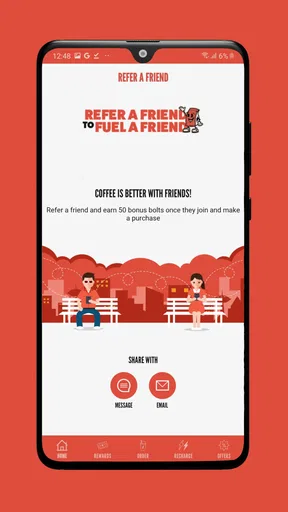
 Analysis by AppCompare
I approached Black Rock Coffee Bar as more than a digital menu. It is a Food & Drink app from Paytronix Systems built around earning Bolts, placing pickup orders, and arranging delivery. That sounds straightforward, and in daily use the appeal is easy to understand: fewer steps between deciding what I want and getting the order moving. The more important question, though, is whether the app gives me enough control and clarity while I use it.
My overall impression is positive but practical. This is most useful when Black Rock Coffee Bar is already part of your routine, especially if you regularly visit the same locations or prefer ordering before you arrive. It is less compelling as a general coffee-discovery tool for someone who rarely buys from Black Rock Coffee Bar. The app is free, available to Everyone, and has reached over one hundred thousand installs, with an average rating of 4.4 from around one and a half thousand ratings. Those figures suggest a reasonably established user base, but they do not remove the need to check each order carefully.
How Black Rock Coffee Bar fits into a real coffee run
The clearest way to understand this app is to imagine a normal weekday. I am leaving home late, want the same drink I usually order, and do not want to stand in line while commuting. Opening the app, choosing a nearby Black Rock Coffee Bar location, and selecting pickup can turn that stop into a more predictable part of the morning. Delivery serves a different situation: I may be working from home, ordering for several people, or simply unable to make the trip.
That distinction matters because pickup and delivery are not interchangeable conveniences. Pickup is about saving time at the store, while delivery adds distance and coordination to the order. I would use pickup when I know exactly where I am going and want control over when I collect the drink. I would reserve delivery for moments when convenience matters more than the extra complexity that can come with handing an order to another service or destination.
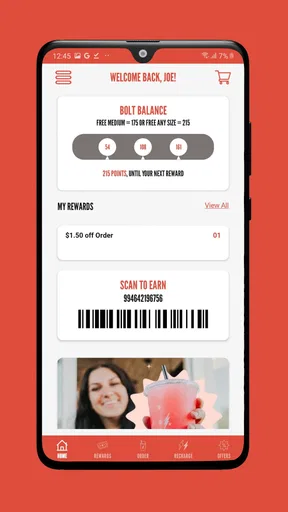
The app’s central reward idea is earning Bolts. For a regular customer, that can make the app more worthwhile than ordering in person every time. The benefit is not just having a digital ordering screen; it is bringing ordering and loyalty activity into one place. That creates a useful routine: place the order through the app when it makes sense, then keep an eye on the reward progress instead of treating every visit as a separate transaction.
Still, I would not install it solely because a rewards program exists. A loyalty system only helps if I visit often enough to use it and if I am comfortable making those purchases through the app. Someone who visits Black Rock Coffee Bar only occasionally may find that the extra account and ordering step is not worth adopting. In that case, the usual in-store purchase is simpler.
What the app does well for regular customers
The strongest part of the experience is the connection between a familiar coffee habit and a repeatable digital workflow. I do not need to explain my order at the counter every time, and I can decide whether pickup or delivery better suits the situation before I begin. That is a meaningful advantage over relying only on a general map app, a browser search, or a third-party delivery platform.
Worth Reading Before You Choose

EA SPORTS FC Mobile 26 Is a Bigger Football Game, but It Takes Time

Flipboard Shows What News Apps Must Do Beyond the Feed

Switching to Android Auto Means Rethinking Your Driving Routine

Google Calendar Makes a Crowded Week Easier to Manage

Ludo King Makes the Most of the Minutes Between Plans

Baby Panda World Brings Quick Play to Modern Phones, but Its Game Library Feels Busy
A general delivery app may be better when I am comparing several restaurants at once. It can put different businesses in one basket, which is useful when a group cannot agree on one place. Black Rock Coffee Bar’s own app makes more sense when the destination is already decided and I want the brand’s ordering and Bolt-earning experience rather than a broad marketplace.
I also like the narrower focus. A coffee-specific app does not need to compete for attention with dozens of unrelated restaurants. When I open it with a particular Black Rock Coffee Bar order in mind, the experience is more purposeful than browsing a large delivery catalog. That focus is valuable during a rushed morning, although it naturally limits the app’s usefulness outside the Black Rock Coffee Bar ecosystem.
Trust starts with what I can see and control
Because ordering apps handle account activity and purchase decisions, I pay attention to user control rather than assuming convenience equals trust. In this case, I would judge the app by the choices presented during sign-in, ordering, payment, location selection, and delivery. Clear screens, understandable confirmation steps, and an obvious way to review the selected store are more important to me than decorative design.
The developer shown for the app is Paytronix Systems. The current version is listed as 26.10.2026032702, and the minimum operating-system requirement is Android 10. That requirement is relevant before installation: anyone using an older Android device should check compatibility first rather than assuming a coffee-ordering app will run everywhere.
I would also treat the account as something worth managing deliberately. If I use the app only for occasional orders, I would avoid leaving old delivery details or payment choices unattended. Before confirming a purchase, I would check the selected location, order type, items, and destination. These are small habits, but they protect against the most ordinary kind of mistake: sending a correctly prepared order to the wrong store or choosing delivery when pickup was intended.
The app is free to install, which lowers the barrier to trying it. Free installation should not be confused with every order being cost-free, however. The practical commitment comes when I place an order, choose delivery, or use an account to accumulate Bolts. I would read the final total and the order summary before submitting, especially when switching between pickup and delivery.
Permissions and data-sensitive moments
The moments that deserve the most attention are not necessarily the opening screen. They are the points where the app may need information to make ordering possible: identifying a store, handling an account, completing a purchase, or directing an order to a delivery destination. I prefer to grant access only when the purpose is clear and relevant to what I am doing at that moment.
For example, if location access is requested, I would ask whether I actually need automatic store discovery. If I already know the Black Rock Coffee Bar location I want, manually choosing it may give me more control over the order. If I am traveling and want the nearest option, location-based selection can be convenient. The important distinction is that convenience should be a choice, not an automatic substitute for checking the store myself.
I would use the same cautious approach with notifications. Order updates can be useful when I am waiting for pickup or delivery, but not every promotional prompt deserves the same attention. If the app presents separate choices for operational messages and marketing communication, I would keep the first and consider disabling the second if it becomes distracting. A good ordering experience should let me remain informed without making me feel that every notification is essential.
Account details deserve similar care. I would enter only what is needed to place and receive an order, keep contact information accurate, and review saved choices from time to time. If I stop using the app, I would look for the available account-management options rather than simply leaving the account active indefinitely. That is not a criticism unique to Black Rock Coffee Bar; it is a sensible routine for any app tied to purchases.
I also avoid treating a reward balance as a reason to ignore privacy or security basics. Bolts can encourage repeat use, but a loyalty benefit should not pressure me into accepting every optional setting. I want to know what I am agreeing to at each meaningful step, and I would rather pause than approve a request I do not understand.
Ordering with fewer avoidable mistakes
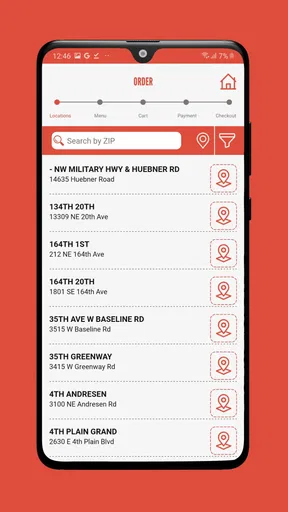
My most useful practical tip is to choose the store before spending time on the rest of the order. A nearby location may not be the location that fits my route, and a pickup order is only convenient if I can reach the selected store at the expected time. I would confirm the location again immediately before checkout, particularly when ordering from work, while traveling, or after using delivery on a previous occasion.
A second tip is to separate “I want this later” from “I want this now.” If I am preparing an order during a busy period, I would slow down at the final confirmation screen instead of tapping through automatically. Pickup and delivery solve different problems, and selecting the wrong one can erase the time saved earlier. This is especially important when ordering for another person, because the destination and collection plan may not match my own.
A third useful habit is to treat Bolt earning as a reason to consolidate a genuine order, not as an invitation to buy something unnecessary. If I already planned to visit Black Rock Coffee Bar, using the app can make sense. If I am adding an extra purchase only to chase a reward, the loyalty feature is working against my budget. That trade-off is easy to overlook because reward progress feels more visible than the money leaving the account.
For group orders, I would decide in advance who is responsible for reviewing the final basket. One person should check the store, order method, items, and destination before confirmation. This avoids a common digital-ordering problem in which several people contribute preferences but nobody verifies the complete order. The app can streamline the transaction, but it cannot replace that final human check.
Where the experience may not suit everyone
The app is not the right choice for every coffee customer. If I am already standing at a Black Rock Coffee Bar location and my order is simple, ordering face to face may be faster than opening an account, selecting a store, and reviewing a digital basket. The app adds value when it removes friction from a planned purchase; it does not automatically remove friction from every purchase.
It may also be a poor fit for someone who wants one app for many coffee shops. Black Rock Coffee Bar is intentionally focused on one brand, so a general restaurant or delivery app can be more convenient for comparing alternatives. That broader option may also be preferable when I am coordinating food and drinks from different businesses, even if it does not provide the same direct Bolt-earning path.
Delivery users should be especially realistic about what they need. If timing is critical, pickup may offer a simpler plan because I control the collection step. If I cannot leave my location, delivery is more useful, but I would enter the destination carefully and remain available for the handoff. The app can initiate the order; the surrounding delivery circumstances still require attention.
Device compatibility is another practical filter. The app requires Android 10 or later, so an older phone may rule it out before any feature comparison matters. I would also keep the app updated when possible, since ordering tools can depend on current operating-system behavior. On a supported device, the listed version indicates an actively maintained release line, but I would still judge updates by whether the app remains stable and clear during actual ordering.
How I would use it without giving up agency
I would begin with a single, low-pressure order rather than immediately making the app central to every coffee purchase. That first test would tell me whether the selected store is easy to find, whether pickup or delivery matches my routine, and whether the Bolt experience is understandable. I would not save more information than I expect to use, and I would review the confirmation carefully before placing the order.
After that, I would create a simple personal rule: use the app when it saves a real step. For me, that means planned pickup, a repeat order, or a delivery situation where leaving is inconvenient. I would order in person when I am already at the store, when I am undecided, or when I want to ask a staff member about something that the app cannot explain clearly.
I would also keep notifications purposeful. Operational updates are useful while an order is active. Promotional messages are a personal choice, and I would adjust them if they begin to blur the difference between an order that needs attention and an offer that can wait. This kind of control makes the app feel like a tool I operate, rather than a channel that constantly competes for my attention.
For privacy-conscious users, the best approach is not to avoid every digital order automatically. It is to make each permission and account choice intentional. Select a store manually when that is enough, review the information used for delivery, and avoid assuming that a reward balance justifies unnecessary access. These choices do not make the app less useful; they make its usefulness more deliberate.
My cautious verdict on the coffee-ordering experience
Black Rock Coffee Bar earns my recommendation for regular customers who want a direct way to arrange pickup or delivery and collect Bolts along the way. Its free installation, Everyone age rating, and focused purpose make it approachable, while its established presence and 4.4 average rating provide some reassurance that it is not an obscure experiment. Paytronix Systems is the named developer, and the app has a clear role rather than trying to become an all-purpose food marketplace.
My recommendation comes with conditions. I would verify the store and order method every time, especially when moving between pickup and delivery. I would treat location, notifications, account information, and saved details as choices to manage rather than automatic conveniences. I would also avoid using the reward system as a reason to spend more than planned.
The strongest reason to install it is routine, not novelty. If Black Rock Coffee Bar is already where I buy coffee, the app can make repeat visits more organized and may reduce the effort of ordering ahead. If I visit rarely, prefer comparing many businesses, or want the simplest possible transaction at the counter, the usual alternatives may serve me better.
In the end, I see it as a useful brand-specific companion rather than an essential app for everyone. Used selectively, with a careful final review and sensible control over account choices, it can make pickup and delivery more convenient without taking the decision-making out of my hands.
Pros
- Convenient mobile ordering helps reduce wait times during busy periods.
- Rewards program gives regular customers a simple way to earn free drinks.
- Menu includes coffee
- tea
- energy drinks
- and refreshing blended options.
- Store locator makes it easy to find nearby locations and check availability.
- Customizable drinks let users adjust sizes
- flavors
- milk
- and other options.
Cons
- Some menu items or customizations may vary between individual locations.
- Rewards and promotions may require an account and personal information.
- Peak-time orders can still take longer despite ordering through the app.
- The app is less useful in areas without a nearby Black Rock Coffee Bar.
- Prices and extra customization charges may not be clear until checkout.
FAQs for Black Rock Coffee Bar
What is Black Rock Coffee Bar?
Black Rock Coffee Bar is a coffee and beverage app connected to the Black Rock Coffee Bar chain. It is designed to help customers explore the menu, find nearby locations, view store information, and, where available, place orders or access rewards. The exact features may vary depending on your location, store participation, and the version of the app installed on your device.
Can I order drinks and food through the Black Rock Coffee Bar app?
In supported locations, the app may allow you to browse available drinks and food, customize selected items, choose a participating store, and submit an order for pickup. However, mobile ordering is not necessarily available at every location, and menu availability can change. Before relying on the app, check whether your preferred store supports ordering and review the estimated preparation time.
Does Black Rock Coffee Bar offer a rewards or loyalty program?
The Black Rock Coffee Bar app may include access to a loyalty or rewards program, allowing eligible customers to earn benefits from qualifying purchases. Program rules can include registration requirements, participating locations, expiration dates, and restrictions on certain promotions. Read the current terms inside the app carefully, since rewards, offers, and redemption conditions may change over time.
Does the app require an account, and what information does it collect?
Some features, such as mobile ordering, saved payment methods, order history, and loyalty rewards, may require you to create or sign in to an account. The app can also request information such as your name, email address, location, and payment details, depending on the features you use. Review the privacy policy and app permissions before completing registration.
Is the Black Rock Coffee Bar app free to download and use?
The app is generally free to download, although normal mobile data charges may apply if you use it without Wi-Fi. Purchasing drinks, food, or other products through the app is not free, and prices, taxes, service charges, and available promotions may vary by store. Confirm the final total and pickup details before submitting an order.


